
Plausible
Simple, privacy-friendly website statistics on a single page.
- Use instead of
Google Analytics,Fathom Analytics,Simple Analytics- Typical address
plausible.example.com- Project website
- plausible.io
- Official docs
- plausible.io/docs
Overview
Plausible gives you the website numbers most people actually need (visitors, pages, sources, countries, devices) on one clear dashboard. It uses no cookies and collects no personal data, so in most cases you don’t need a cookie banner for it.
Main capabilities:
- A single-page dashboard with unique visitors, page views, bounce rate, and visit duration.
- Top sources, including UTM campaign parameters.
- Top pages, entry pages, and exit pages.
- Locations and devices (browser, operating system, screen size).
- Goals and custom events, such as sign-ups, downloads, or outbound link clicks.
- Funnels to see where visitors drop off.
- Shared links and public dashboards, plus weekly and monthly email reports.
- A lightweight script (under 1 KB) that doesn’t slow your site.
What it replaces
Plausible replaces Google Analytics for teams that want a simple overview, and paid privacy-friendly analytics such as Fathom and Simple Analytics. For deeper analysis, see Matomo.
Signing in
Open your Plausible address and sign in with the account created for you.
Add a website
Choose + Add website.
Enter your domain (for example
example.com, withouthttps://orwww) and time zone.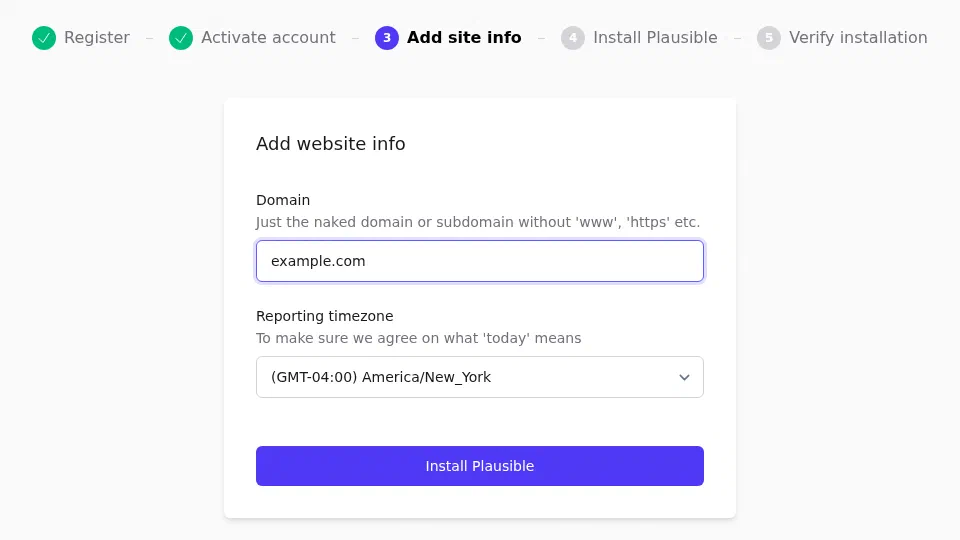
Adding a website. Copy the snippet Plausible shows. It looks like this:
<script defer data-domain="example.com" src="https://plausible.example.com/js/script.js"></script>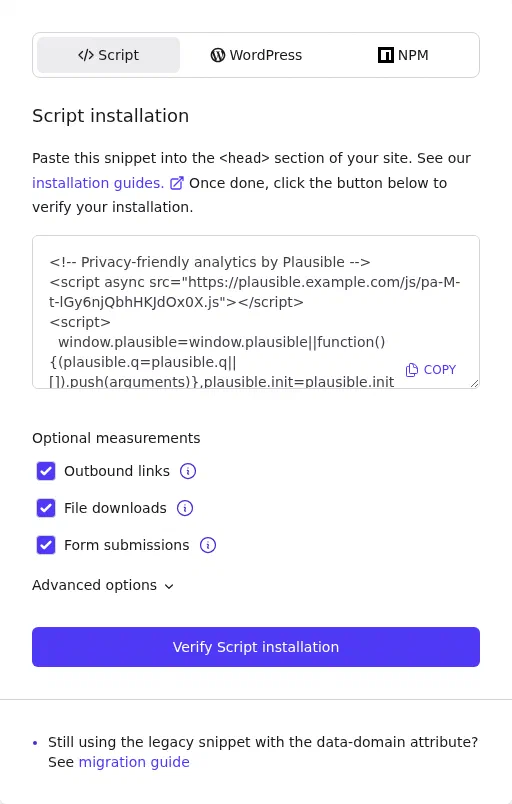
The snippet to copy, from your own Plausible. Paste it into the
<head>of every page. On WordPress, you can use the official Plausible plugin, which lets you set a self-hosted address.Visit your site; the dashboard shows the visit within a minute.
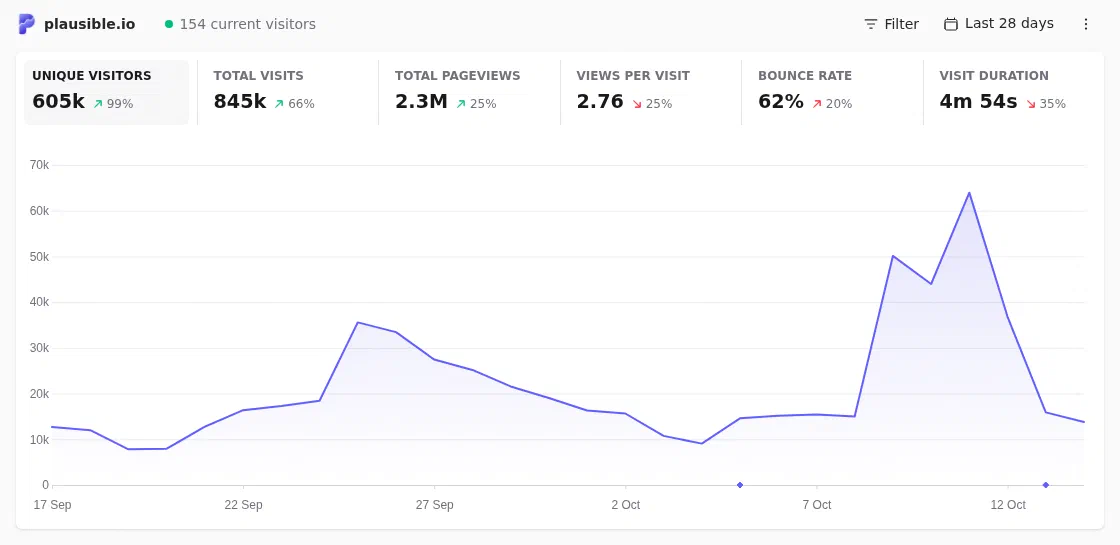
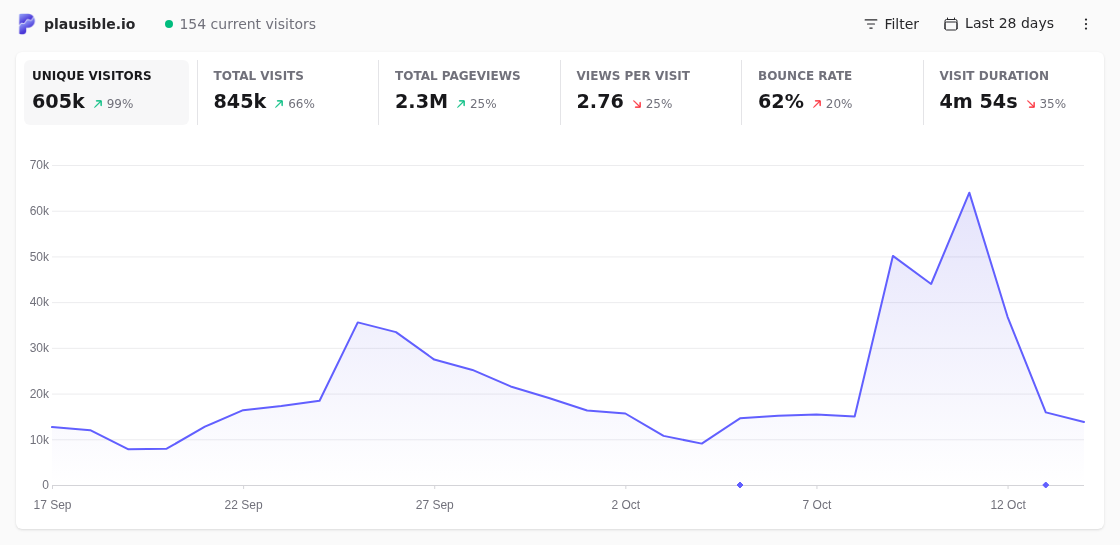
A Plausible dashboard once visits are coming in. Shown on the public demo. Your server may look slightly different.
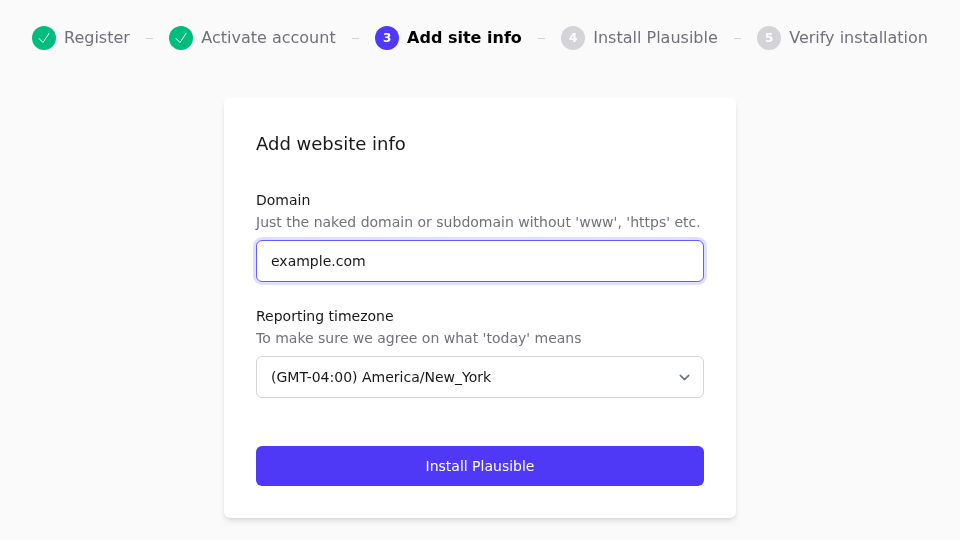
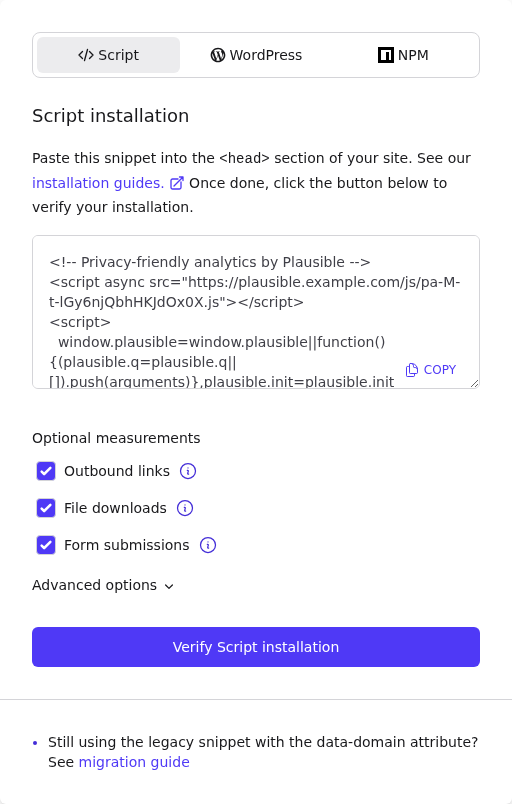
Newer versions of Plausible may show a site-specific script instead. Always copy the snippet from your own dashboard.
Track goals and events
Open the site’s Settings, Goals, and choose + Add goal.
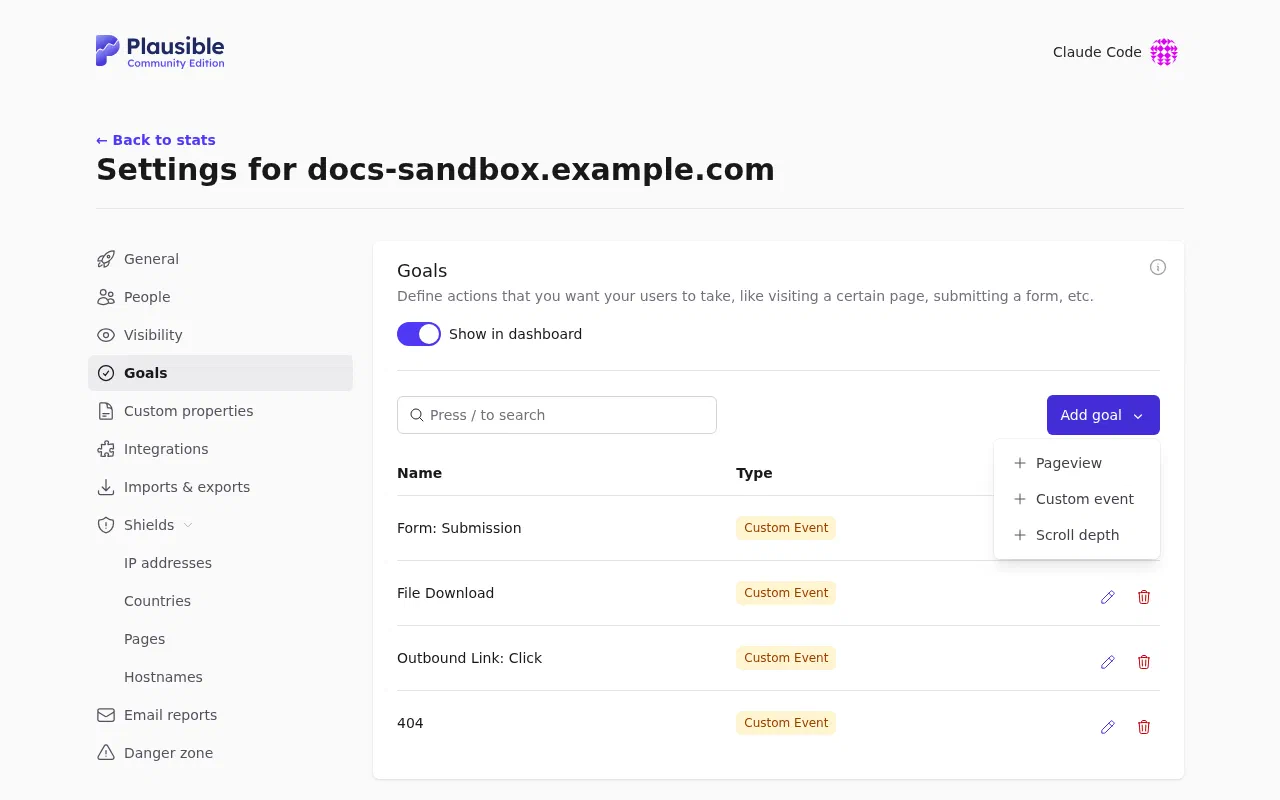
The Add goal menu. Choose a pageview goal (for example, visits to
/thank-you) or a custom event.For custom events, either add a class like
plausible-event-name=Signupto a button or link (requires the script variant with tagged events), or callplausible('Signup')from your own JavaScript.
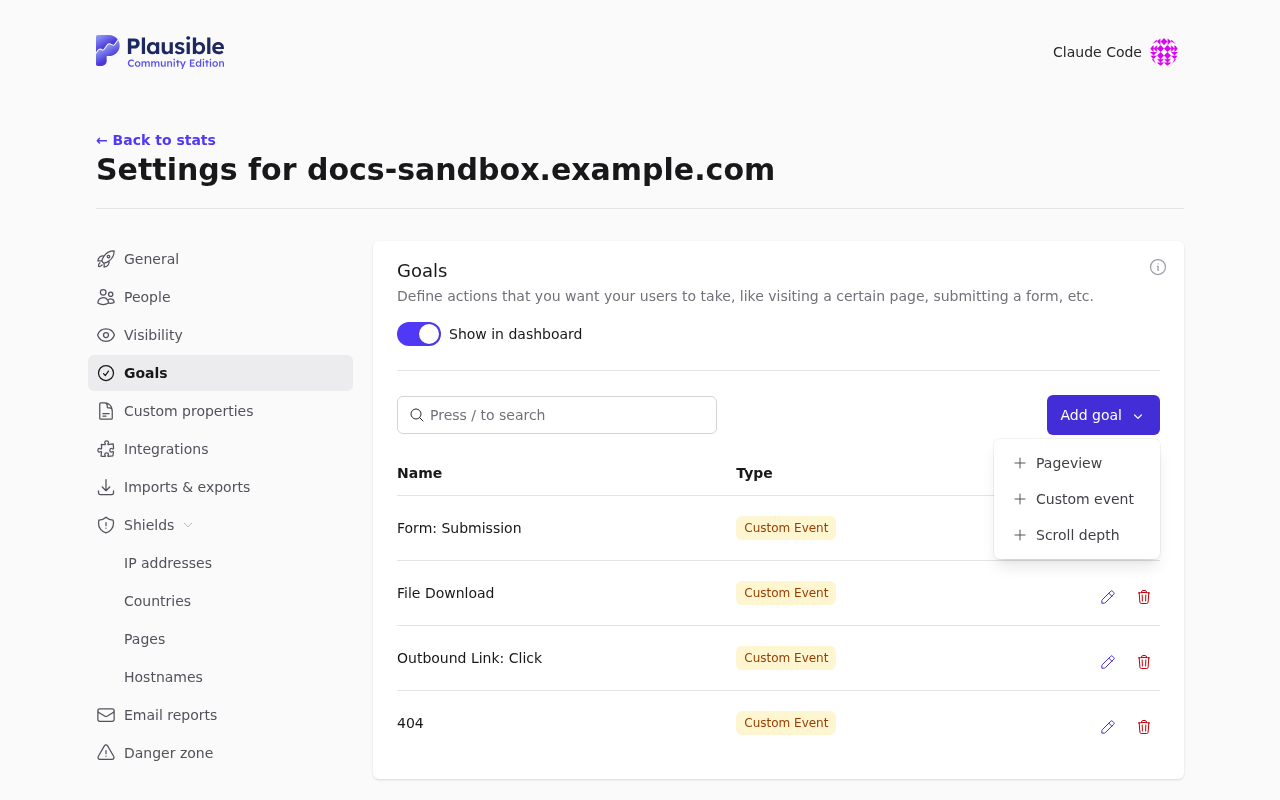
Goals appear at the bottom of the dashboard, with conversion rates.
Share your dashboard
Under Settings, Visibility:
- Create a shared link (optionally password-protected) for clients or colleagues without accounts.
- Or make the dashboard public.
Add team members under Settings, People, with viewer or admin access.
Email reports
Under Settings, Email reports, choose weekly or monthly summaries and who receives them. Traffic spike notifications can also be enabled here.
Import from Google Analytics
Under Settings, Imports & Exports, you can import historical data from Google Analytics or a CSV export, so your charts don’t start from zero.
Superpanel settings
- Access: choose which groups are given the Plausible address.
- Registration: new accounts are usually created by invitation only.