
Superpanel
The web control panel for your Federated Core server: people, access, and application settings.
Superpanel is where administrators in your organization manage the Federated Core server without needing the command line. If a task in these guides says “in Superpanel”, this is the place.
Who can use Superpanel
Only people your organization has made Superpanel administrators can sign in to it. Everyone else uses the applications directly. If you need something changed and you aren’t an administrator, ask one of your administrators or contact Federated Computer support.
What you can do in Superpanel
Manage people
- Add a person. Enter their name, username, and email address. The account is created in your central directory and becomes available in every connected application.
- Reset a password for someone who is locked out.
- Disable or remove an account when someone leaves. Disabling is usually the better first step: the person can no longer sign in, but files and records they own stay in place until you’ve reassigned them.
- Make someone an administrator of Superpanel or of individual applications.
Manage groups and application access
Groups let you grant access to several people at once. Typical uses are giving a team access to a particular application, or giving a smaller group administrator rights inside an app. Changes made here apply to the connected applications the next time the person signs in.
See and manage applications
Superpanel lists every application installed on your server, along with its web address. From here, administrators can:
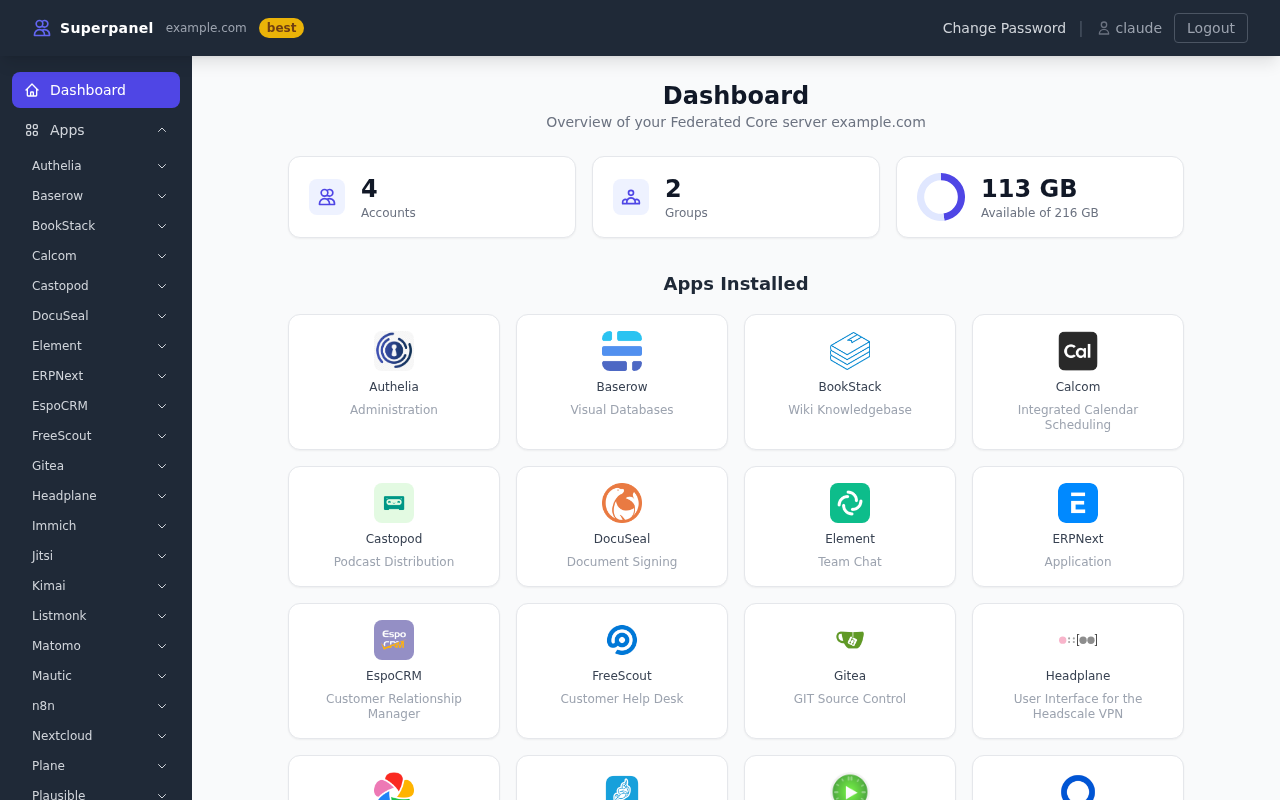
- Find the address of each application to share with colleagues.
- Request or enable an application that is available for your plan but not yet installed.
- Change the options Federated Computer exposes for that application, such as whether it is visible to all users or only to certain groups.
The options available for each application are listed on that application’s page in this documentation, under Superpanel settings.
Domain and email settings
Federated Core publishes applications on your own domain. Superpanel shows the DNS records your domain needs and, where your plan includes it, lets you manage DNS through PowerDNS. If you host your domain’s DNS elsewhere, copy the records shown into your DNS provider.
Settings that live inside each app
Superpanel handles accounts, access, and server-level options. Everything else (branding, workflows, content, notification preferences, integrations) is configured in the application itself, usually under a menu called Settings, Administration, or Admin. Each application page in this documentation explains where to find those screens.